

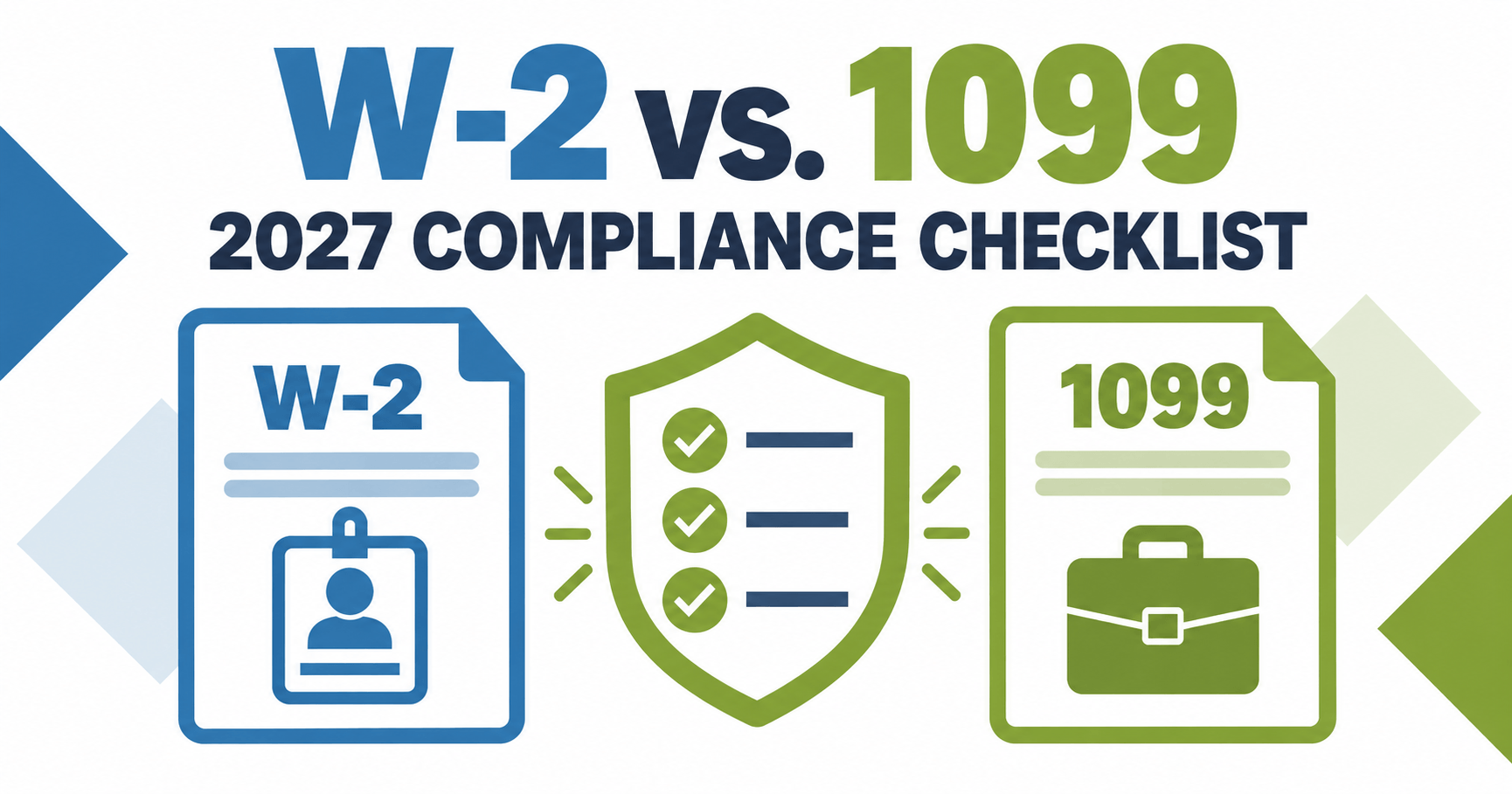
Handling payroll during tax season often feels like walking through a maze. Between classifying workers correctly, meeting IRS deadlines, and managing electronic forms, it's easy for even experienced HR or payroll leaders to feel uncertain.
At Lift HCM, we've helped hundreds of organizations simplify payroll operations while staying fully compliant. We understand how stressful it can be to keep up with changing regulations — especially when the cost of a simple misclassification or late filing can add up fast.
This article will give you clear, step-by-step answers to your most pressing W-2 and 1099 compliance questions, from understanding worker classifications to safely delivering tax forms electronically. By the end, you'll know exactly how to protect your organization from costly penalties and keep payroll running smoothly all year long.
Table of Contents
- Step 1: Understand W-2 and 1099 Worker Classifications
- Step 2: Know Your Employer Tax Responsibilities
- Step 3: Stay Ahead of Key Payroll Deadlines
- Step 4: Prevent Employee Misclassification Errors
- Step 5: Send W-2 and 1099 Forms Electronically (the Right Way)
- Step 6: Audit Your Payroll Data for Accuracy
- Step 7: Keep Records for Compliance and Audits
- Step 8: Use a Payroll Compliance Checklist
- Frequently Asked Questions About W-2 vs 1099 Compliance
- Payroll Compliance Made Simple
Step 1: Understand W-2 and 1099 Worker Classifications
Before you can prepare or file any tax forms, it's critical to determine whether a worker is an employee (W-2) or an independent contractor (1099). This distinction is fundamental to payroll compliance and impacts tax withholding, Social Security, and Medicare taxes for both the employer and the worker.
W-2 Employees: Work under your direct control. You decide when, where, and how they perform their job. You withhold taxes from their paycheck, pay a share of employment taxes, and provide benefits such as health insurance and retirement plans.
1099 Contractors: Operate independently. They decide how and when to complete their work. You pay them per project or agreement, without withholding taxes or providing benefits. They handle their own tax obligations, including self-employment tax.
IRS Classification Tests
The IRS uses three categories to help determine worker status:
Behavioral Control: Do you direct how the worker performs tasks? This includes providing training, setting specific work hours, requiring them to work on-site, and dictating the methods they use to complete their work.
Financial Control: Do you control how they are paid, who provides tools and resources, and whether they can work for other companies? Employees typically receive regular wages, use company equipment, and work exclusively for you. Contractors typically invoice for services, use their own tools, and work for multiple clients.
Type of Relationship: Do you offer benefits, expect a long-term engagement, and is their work essential to your core business operations? If yes to most of these, the worker is likely an employee.
If you control most of these factors, the worker is likely a W-2 employee. Misclassifying someone as a contractor when they function as an employee is one of the most common and costly payroll mistakes.
For more detailed guidance on setting up proper classification from day one, see our guide on employee onboarding and classification best practices.
Step 2: Know Your Employer Tax Responsibilities
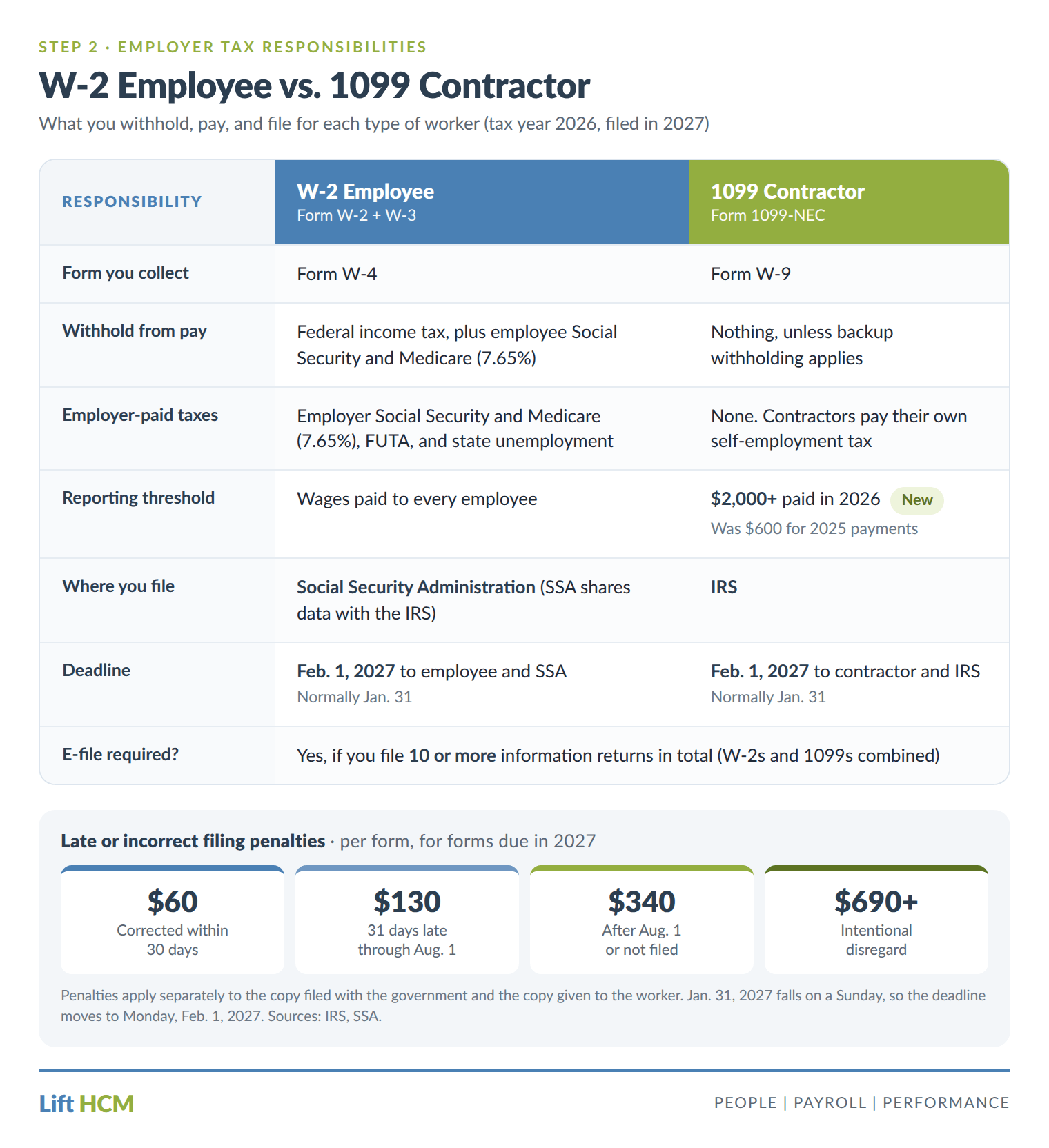
Employers file Forms W-2 (with Form W-3) with the Social Security Administration (SSA), which shares the data with the IRS. Forms 1099-NEC are filed directly with the IRS.
Filing late or incorrectly can trigger IRS penalties for each form: $60 per return if corrected within 30 days, $130 if filed after 30 days but by August 1, and $340 if filed after August 1 or not at all. Intentional disregard starts at $680 per return for 2026 filings and $690 for 2027 filings. The same penalties apply separately to late or incorrect copies given to workers, so for organizations with hundreds of workers, penalties can quickly reach tens of thousands of dollars.
Step 3: Stay Ahead of Key Payroll Deadlines
Tax season moves quickly, and missing a single date can result in unnecessary fines. Here's what to mark on your compliance calendar:
| Deadline | Task | Applies To |
|---|---|---|
| January 31 | Furnish Form W-2 to employees and Form 1099-NEC to contractors | All employers and payers |
| January 31 | File Forms W-2 and W-3 with the SSA (paper or electronic) | All employers |
| January 31 | File Forms 1099-NEC with the IRS (paper or electronic) | All payers |
| February 28 | File Form 1099-MISC with the IRS on paper | Payers filing fewer than 10 information returns |
| March 31 | File Form 1099-MISC with the IRS electronically | Payers e-filing 1099-MISC |
Late filing penalties add up quickly. If you miss the January 31 deadline by more than 30 days, the IRS can charge $130 per form, rising to $340 per form after August 1, and more for intentional disregard.
Important deadline note: If January 31 falls on a weekend or federal holiday, the deadline moves to the next business day. For the 2027 filing season (tax year 2026), January 31 is a Sunday, so the deadline is Monday, February 1, 2027. Don't wait until the last minute-file early to avoid technical issues or processing delays.
Step 4: Prevent Employee Misclassification Errors
Misclassification happens when a business incorrectly labels an employee as a contractor. It's more than a paperwork issue, it can lead to:
- Back taxes for unpaid Social Security and Medicare contributions
- IRS fines and penalties for each misclassified worker
- Wage lawsuits or employee claims for unpaid benefits
- State penalties which often exceed federal penalties
- Audit triggers that put your entire workforce under scrutiny
A study commissioned by the U.S. Department of Labor found that 10% to 30% of audited employers misclassified at least some workers. The construction, hospitality, and gig economy sectors are frequently cited as high-risk industries.

Common Misclassification Red Flags
The IRS (for tax purposes) and the Department of Labor (for wage-and-hour purposes) use different tests, but both look for patterns like these:
- Worker performs the same tasks as employees
- Worker has worked for you continuously for months or years
- Worker only works for your company
- Worker follows your schedule and policies
- Worker uses your equipment and workspace
- Worker receives training from your organization
2026 update: In February 2026, the Department of Labor proposed rescinding its 2024 independent contractor rule and returning to an analysis similar to its 2021 rule. Check the DOL's current guidance before you finalize classification policies.
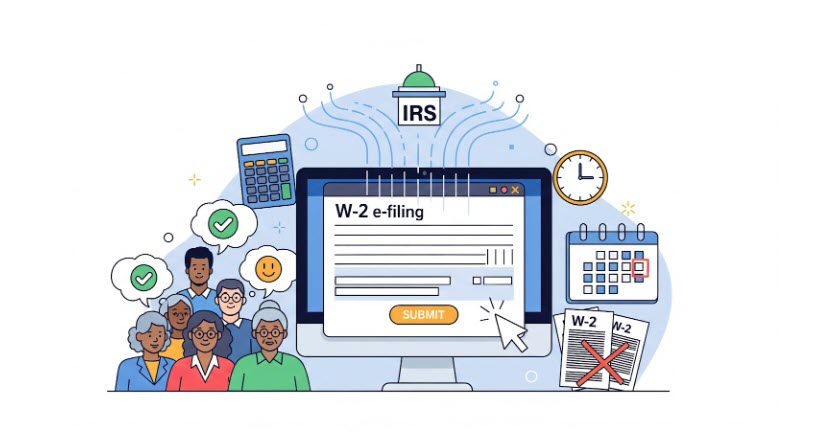
Step 5: Send W-2 and 1099 Forms Electronically (the Right Way)
Benefits of Electronic Forms
For Employers:
- Reduces printing and mailing costs
- Speeds up filing confirmation
- Simplifies e-filing and record management
- Minimizes risk of lost or delayed forms
- Provides instant delivery confirmation
- Easier to correct errors before filing
For Employees:
- Access as soon as forms are posted-no later than January 31
- No waiting for mail delivery
- Reduced risk of mail theft
- Easy integration with tax software
- Access to historical forms in one place
Employer Responsibilities for Electronic Delivery
Electronic delivery is faster, cheaper, and more secure, but only if you follow IRS rules.
-
Get affirmative consent before sending forms electronically. Consent must be given electronically in a way that shows the worker can access the form, or on paper and then confirmed electronically.
-
Provide required disclosures, including how to get a paper copy, how to withdraw consent, and the hardware and software needed to access the form.
-
Use a secure, password-protected portal. IRS rules describe posting forms on a website and notifying workers. A secure portal is far safer than sending tax forms as email attachments.
-
Notify workers when their forms are posted, by mail, email, or in person, with instructions for accessing and printing them. Email notices must include "IMPORTANT TAX RETURN DOCUMENT AVAILABLE" in the subject line.
-
Keep forms available on the portal through October 15 of the following year, and keep records of consent and delivery.
-
Provide paper forms to anyone who doesn't consent or withdraws consent.
Provide required disclosures, including how to get a paper copy, how to withdraw consent, and the hardware and software needed to access the form.
Use a secure, password-protected portal. IRS rules describe posting forms on a website and notifying workers. A secure portal is far safer than sending tax forms as email attachments.
Notify workers when their forms are posted, by mail, email, or in person, with instructions for accessing and printing them. Email notices must include "IMPORTANT TAX RETURN DOCUMENT AVAILABLE" in the subject line.
Keep forms available on the portal through October 15 of the following year, and keep records of consent and delivery.
Provide paper forms to anyone who doesn't consent or withdraws consent.
At Lift HCM, our integrated payroll system helps clients meet these security and consent requirements automatically, so compliance never becomes a guessing game. Our secure employee portal handles consent management, form delivery, and access tracking seamlessly.
Step 6: Audit Your Payroll Data for Accuracy
Before you hit submit, double-check every detail. A small typo can lead to a rejected filing or mismatched IRS records.
Audit Checklist
Verify identification numbers:
- Social Security numbers (SSNs) match Social Security cards exactly
- Employer Identification Numbers (EINs) are correct
- Contractor Tax ID numbers are accurate
Confirm wage calculations:
- Match total wages with year-to-date reports
- Verify overtime calculations are correct
- Check that bonuses and commissions are included
- Ensure tip income is properly reported, including 2026's new Form W-2 box 12 code TP (cash tips) and box 14b (Treasury Tipped Occupation Code)
- Report qualified overtime compensation in box 12 code TT
Review withholdings:
- Confirm benefit deductions align with employee elections
- Verify 401(k) contributions match plan documents
- Check that HSA/FSA contributions are within annual limits
- Ensure state and local withholdings are correct
Update contact information:
- Ensure addresses and email records are current
- Verify name spellings match official documents
- Confirm employment dates are accurate
Pro tip: Use the SSA's Business Services Online (BSO) to validate W-2 data before submission, adding an extra layer of security and accuracy. The BSO system catches common errors before you submit, reducing the risk of rejected filings.
Step 7: Keep Records for Compliance and Audits
The IRS requires employers to keep employment tax records for at least four years after the tax becomes due or is paid, whichever is later.
Keep Documentation Of:
Tax forms (W-2s, 1099s, 941s, and 940s): Store both filed versions and any corrections
Worker contracts and classification assessments: Document why you classified each worker as employee or contractor
Proof of electronic consent for digital forms: Maintain dated consent records with timestamps
Audit reports and corrected submissions: Keep a paper trail showing due diligence
Payroll registers: Detailed records of all payments, withholdings, and deductions
Time and attendance records: Particularly important for defending employee vs. contractor classifications
Benefits enrollment forms: Documentation of employee benefit elections
Digital recordkeeping makes retrieval easy if the IRS or a state agency conducts an audit. Lift HCM's systems store this data securely in the cloud, allowing quick access and reliable compliance reporting. Our audit-ready reports generate automatically, saving hours of manual documentation during audits.
Step 8: Use a Payroll Compliance Checklist
The easiest way to stay organized at tax time is to follow a repeatable checklist. A structured process helps ensure nothing falls through the cracks.
Your Payroll Compliance Checklist Should Include:
Pre-Filing (December):
☐ Confirm worker classifications (W-2 vs 1099)
☐ Confirm 1099-NEC threshold ($2,000 for 2026 payments)
☐ Validate tax IDs and wage totals
☐ Set up new W-2 reporting for tips and overtime (box 12 codes TP and TT, box 14b)
☐ Run accuracy audit on all payroll data
☐ Obtain electronic delivery consent and provide required disclosures
☐ Update addresses and contact information
Filing (January):
☐ Deliver and file W-2s and 1099-NECs by January 31 (February 1 in 2027)
☐ File W-2s with the SSA and 1099-NECs with the IRS
☐ Confirm successful transmission
☐ Provide paper copies to employees who requested them
Frequently Asked Questions About W-2 vs 1099 Compliance
Q: What's the main difference between W-2 and 1099 workers? A: The main difference is control and tax responsibility. W-2 employees work under your direct control, receive regular wages with taxes withheld, and get employer-provided benefits. 1099 contractors work independently, handle their own taxes, and don't receive benefits. Employers pay half of FICA taxes (7.65%) for W-2 employees but no payroll taxes for 1099 contractors.
Q: How do I know if I've misclassified a worker? A: If you control when, where, and how a worker performs their duties, provide them with tools and training, and their work is essential to your business operations, they're likely an employee, not a contractor. The IRS uses a three-part test examining behavioral control, financial control, and the type of relationship. If you're uncertain, consult with a payroll expert or use IRS Form SS-8 to request an official determination.
Q: What are the penalties for worker misclassification? A: It depends on whether the misclassification was unintentional. If you didn't intentionally disregard the rules, you may qualify for reduced rates under IRC section 3509. You'd owe 1.5% of wages for income tax withholding plus 20% of the employee's share of FICA, along with the full employer share. Those rates double to 3% and 40% if you didn't file the required Forms 1099-NEC. If the IRS finds intentional disregard, the reduced rates don't apply and you can be liable for the full amounts. Information return penalties for unfiled or incorrect W-2s can apply on top of that, and criminal penalties are possible in cases of fraud.
Q: Can I send W-2 forms via email? A: The IRS rules for electronic W-2s describe posting forms on a website and notifying employees by mail, email, or in person. Sending tax forms as unsecured email attachments isn't a recommended practice. Instead, email employees a notice with a link to a secure, password-protected portal, with "IMPORTANT TAX RETURN DOCUMENT AVAILABLE" in the subject line. You must have their affirmative consent first, and the forms must stay available through October 15 of the following year.
Q: What's the deadline for filing W-2s and 1099s?
A: Forms W-2 and 1099-NEC must be furnished to workers and filed with the government by January 31, whether you file on paper or electronically. W-2s go to the SSA and 1099-NECs go to the IRS. Form 1099-MISC has later IRS filing deadlines: February 28 on paper, or March 31 electronically. If you file 10 or more information returns in total (including W-2s), you must file electronically. Penalties start at $60 per form and increase the later you file.
Q: Do I need to provide 1099s to LLC contractors? A: It depends on how the LLC is taxed. Single-member LLCs taxed as sole proprietorships, and LLCs taxed as partnerships, generally need a Form 1099-NEC if you paid them $2,000 or more for payments made in 2026 or later ($600 for payments made in 2025). LLCs taxed as C or S corporations generally don't need one. The main exception is legal services: attorneys' fees must be reported even when paid to a corporation. Always have contractors complete Form W-9.
Q: What should I do if I realize I misclassified workers? A: Address the issue right away. IRS Voluntary Classification Settlement Program (VCSP) lets eligible employers reclassify workers as employees going forward with partial relief from past federal employment taxes. You pay 10% of the employment tax that would have been due for the most recent tax year, calculated at reduced rates. You apply on Form 8952 at least 120 days before you want to start treating the workers as employees, then sign a closing agreement with the IRS. Acting before an audit typically leads to better outcomes.
Q: How long should I keep W-2 and 1099 records? A: The IRS requires keeping employment tax records for at least four years after the tax becomes due or is paid, whichever is later. However, some states have longer retention requirements. Many employers keep records for six to seven years to be safe. Digital storage makes long-term retention easier and more cost-effective than paper filing systems.
Payroll Compliance Made Simple
You don't have to guess your way through payroll compliance. With the right process and a reliable partner, filing W-2s and 1099s can be accurate, efficient, and stress-free.
The key is preparation. Employers who fare best during tax season are those who:
- Classify workers correctly from the start
- Maintain accurate records throughout the year
- Use integrated payroll systems that automate compliance
- Partner with experts who understand regulatory complexity
- Start preparing well before January deadlines
At Lift HCM, we've built our platform specifically for businesses that need payroll to "just work" without requiring dedicated compliance staff. Our restaurant, hospitality, auto repair, and service company clients trust us to handle the technical compliance details while they focus on running their businesses.
Our integrated system handles worker classification tracking, automated tax calculations, electronic form delivery, and compliance reporting — all backed by real human support from payroll experts who know your industry.
Ready to simplify your payroll compliance? Explore Lift HCM's Complete Payroll Solutions →

Topics:






.jpg?width=4000&height=3723&name=stack-papers-tax-concept-illustration(1).jpg)

.jpeg?width=1344&height=768&name=two%20binders%20stacked%20on%20top%20of%20eachother%20on%20top%20of%20paperwork%20and%20a%20calculator(1).jpeg)

.jpeg?width=1792&height=1024&name=glass%20jar%20on%20a%20restaurant%20table%20top%20bar%20with%20someone%20putting%20cash%20tips%20in%20it(1).jpeg)
