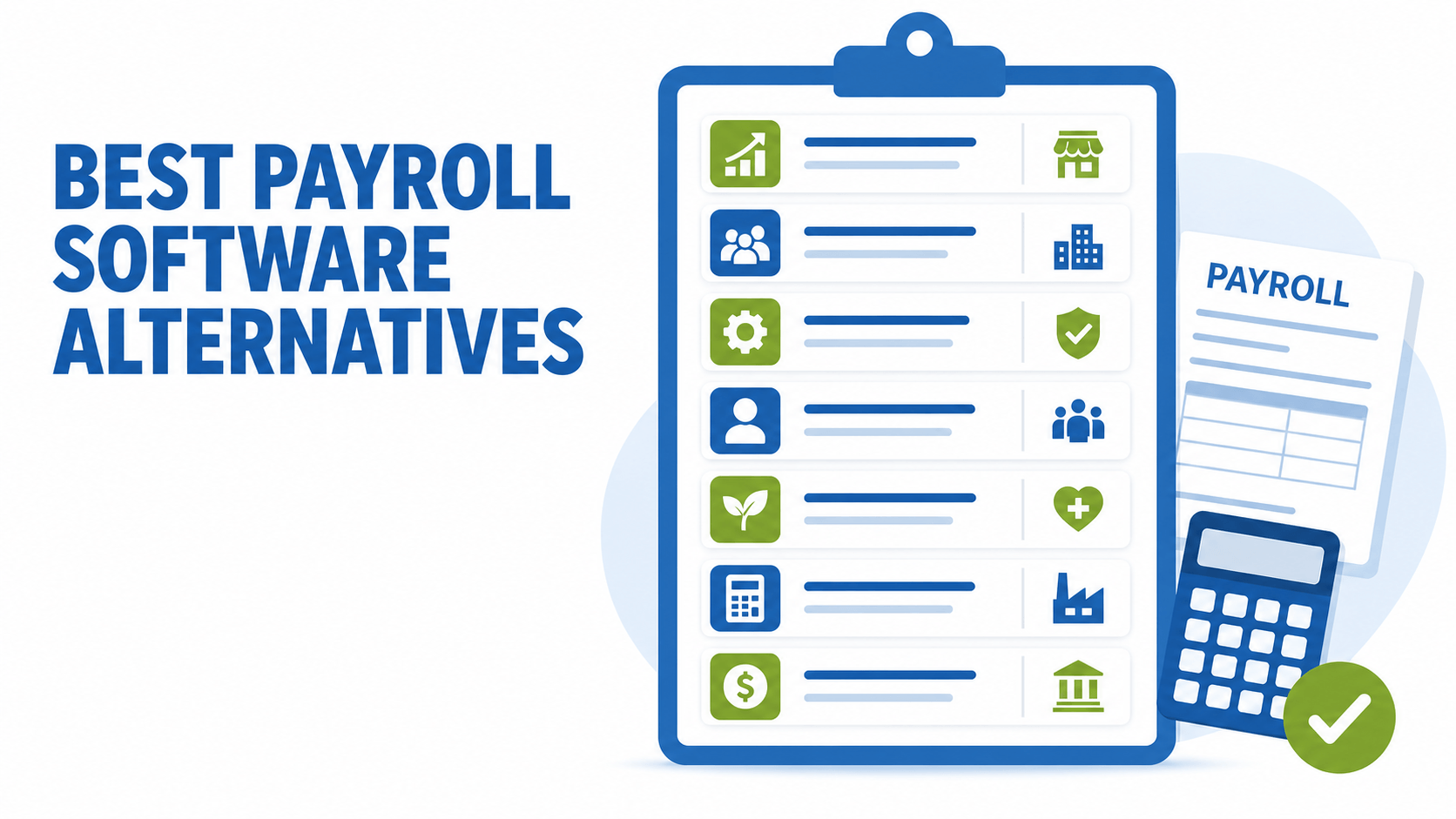
If you're searching for payroll software alternatives, something probably isn't working. Maybe support tickets sit for days. Maybe a tax notice showed up that your provider should have caught. Or maybe your company has simply outgrown a system that felt fine when you had 15 employees and one location.
At Lift HCM, we talk with business owners and HR leaders every week who are weighing a switch, and we help growing companies move payroll, HR, and time data onto one platform. We also know the providers on this list well, because they're the names buyers compare us against. Many of those conversations start with a bigger question: a large national provider or a more personal one? We cover that trade-off in our guide to national vs. local payroll providers, and this article puts seven specific options side by side.
This guide compares seven payroll providers by who each one fits best, including where Lift HCM is and isn't the right choice. You'll walk away knowing how each option handles pricing, support, and growth, plus the questions to ask before you sign anything.
Key Takeaways
- There is no single "best" payroll software. The right fit depends on headcount, number of states, HR needs, and support expectations.
- Most providers require a quote. Of the seven on this list, only BambooHR and Rippling publish starting rates, and neither rate is a complete payroll price: BambooHR's covers HR plans, and Rippling's covers the core platform before payroll and other modules.
- The support model matters as much as features. Before you sign, ask exactly who you'll talk to when payroll goes wrong.
- Growth can force a platform change. ADP, for example, positions RUN for 1 to 49 employees and Workforce Now for 50 and up.
- Lift HCM is best for growing and mid-sized US businesses that want one platform and a dedicated expert. Companies that need to pay workers in other countries may be better served by a global-first tool like Rippling.
Table of Contents
-
2. ADP: Best for Small Businesses That Want a Big-Name Provider
-
3. Paychex: Best for Businesses That Want HR Outsourcing or a PEO
-
4. Lift HCM: Best for Growing and Mid-Sized Businesses That Want a Dedicated Expert
-
6. Paylocity: Best for Mid-Sized Companies Focused on Employee Experience
-
7. Paycom: Best for Organizations That Want Employee-Driven Payroll
-
Side-by-Side Comparison: Lift HCM vs. ADP, Rippling, Paychex, BambooHR, Paycom, and Paylocity
-
What Mistakes Do Businesses Make When Switching Payroll Providers?
A Note About Our Perspective
Lift HCM is one of the providers in this comparison, so we have an obvious interest in how it turns out. To keep this guide useful, we grouped every provider by the type of business it serves best instead of putting ourselves first by default. This is a best-fit comparison, not an independently scored product test. We pulled pricing and features from each provider's own website, and we point out the situations where another provider is a better fit than Lift HCM. Pricing and features change often, so confirm details directly with each vendor before you decide.
How Did We Compare These Payroll Software Alternatives?
We compared these payroll software alternatives by best fit, ordered roughly from the smallest and simplest businesses to the largest and most complex. A 12-person company in one state needs something very different from a 400-person company with locations in six states, so a single overall score would hide the details that actually drive the decision. For each provider, we looked at six factors:
- Pricing transparency: Is pricing published or quote-only, and what drives the total cost?
- Payroll and tax depth: Multi-state filing, garnishments, year-end forms, and ACA reporting.
- Platform breadth: Whether HR, time tracking, benefits, and recruiting live in the same system.
- Support model: Whether you get a dedicated contact, a shared team, or mostly self-service help.
- Scalability: Whether the product grows with you or requires a move to a different platform.
- Best-fit company size: Who each provider says its product is built for.
Quick Picks: Best Payroll Software Alternatives at a Glance
|
Provider |
Best For |
Pricing Model |
|
BambooHR |
Small, HR-first teams that want payroll added to strong people-management tools |
Published HR plan pricing; payroll is a quoted add-on |
|
ADP |
Small businesses that want a big-name provider and a path to scale |
Quote-based |
|
Paychex |
Businesses that want HR outsourcing or PEO options |
Quote-based |
|
Lift HCM |
Small and mid-sized businesses that want a dedicated expert |
Quote-based (billed per employee per payroll run) |
|
Rippling |
Tech-forward teams that want HR, IT, and finance in one system, including global hiring |
Starts at $8 per user per month plus a monthly base fee, with modules extra |
|
Paylocity |
Mid-sized companies focused on employee experience and finance tools |
Quote-based |
|
Paycom |
Larger organizations that want employees to review their own pay before payroll runs |
Quote-based, plus implementation fee |
1. BambooHR: Best for Small, HR-First Teams
BambooHR built its reputation on HR software for small and mid-sized businesses: employee records, onboarding, performance management, and reporting. Payroll is sold as an add-on module for US employees, alongside separate add-ons for benefits administration and time tracking. That makes BambooHR a natural fit for teams whose biggest need is organizing people data, with payroll as a second priority.
Where It Stands Out
- An HR-first design built around employee records, onboarding, and performance.
- Published pricing, including a flat monthly rate for companies with 25 or fewer employees.
- Bundle pricing may be available when you combine add-ons, so ask for a combined quote.
What to Consider
- Payroll and benefits add-ons cover US employees only.
- Payroll isn't included in the base HR plans, so price out the full bundle you actually need.
- If multi-state taxes, garnishments, or ACA reporting are your main pain points, compare the payroll module's depth against payroll-first providers.
Pricing: BambooHR's pricing page lists Core at $10, Pro at $17, and Elite at $25 per employee per month, with a flat rate starting at $250 per month for companies with 25 or fewer employees. Payroll, benefits administration, and time tracking are priced as add-ons. These are HR plan prices, not a complete payroll quote, so ask BambooHR to price payroll, time, and benefits together.
Ask in a demo: How are payroll, time, and benefits priced? Which payroll tasks are included? How does the product handle your states, pay types, and accounting connections?
2. ADP: Best for Small Businesses That Want a Big-Name Provider
ADP is one of the largest payroll companies in the world and serves businesses of every size. Small businesses usually start on RUN Powered by ADP, which ADP positions for companies with 1 to 49 employees. ADP Workforce Now serves companies with 50 to 1,000+ employees.
Where It Stands Out
- Four RUN packages (Essential, Enhanced, Complete, and HR Pro) let you add HR support, compliance tools, and hiring features as you need them.
- ADP states that if it makes a tax filing error, it pays the resulting fines or penalties. Ask what conditions and exclusions apply.
- A wide menu of add-ons, including time and attendance, retirement, workers' compensation, and health insurance.
What to Consider
- Pricing isn't published, so you'll need a quote.
- HR help desk access, handbook tools, and legal assistance sit in the higher-tier packages.
- Growing past 49 employees generally means moving from RUN to Workforce Now, which is a separate platform.
Pricing: Quote-based. ADP does not publish RUN or Workforce Now pricing and frequently runs sign-up promotions, so ask what your rate will be after any promotional period ends.
Ask in a demo: Which product is being quoted? How would the solution change as your workforce grows? Who handles support requests, and what is included in the proposed package?
How Lift HCM compares: Lift HCM is built for businesses in the range where many ADP clients outgrow RUN, with a dedicated expert on your account. Confirm the scaling path and what changes in your proposal as headcount grows. For a deeper head-to-head, read our Lift HCM vs. ADP comparison.
3. Paychex: Best for Businesses That Want HR Outsourcing or a PEO
Paychex serves small, mid-sized, and larger businesses with payroll, HR, benefits, and PEO services. In April 2025, Paychex completed its acquisition of Paycor, and Paychex says the combined company serves about 800,000 clients and pays roughly 1 in 11 American private-sector workers.
Where It Stands Out
- Flexible service models, from software-only payroll (Paychex Flex Select, Pro, and Enterprise) to HR outsourcing (HR Pro) and a full PEO.
- The scale and resources of a large national provider.
- The Enterprise tier includes a dedicated payroll specialist and HR guidance.
What to Consider
- Every Paychex Flex package requires a quote.
- On the Select and Pro tiers, online support is standard, and enhanced or premium support is an add-on.
- Since the Paycor acquisition, Paychex offers more than one HCM platform, so ask which platform you'll be placed on and what its long-term roadmap looks like.
Pricing: Quote-based for all Paychex Flex packages, HR Pro, and PEO services.
Ask in a demo: Is the proposal for payroll software, outsourced HR services, or a PEO? Which support roles will be assigned to your account? What happens to the agreement and costs if your needs change?
How Lift HCM compares: Lift HCM is a payroll and HCM provider rather than a PEO, so your business stays the employer of record and keeps control of its own benefits and HR decisions. If outsourcing HR responsibilities is the goal, a PEO is the better fit.
4. Lift HCM: Best for Growing and Mid-Sized Businesses That Want a Dedicated Expert
Lift HCM is a payroll and HCM provider built on the isolved platform, which brings payroll and tax, HR administration, time tracking, benefits administration, and recruiting into one system. Our primary clients are small and mid-sized businesses across multiple industries. We pair that national-scale cloud platform with hands-on service, which gives businesses the technology of a large provider and the personal support many people expect from a local one.
Where It Stands Out
- A direct line to a dedicated expert who knows your business by name, so you aren't starting from scratch every time you call.
- Automated federal, state, and local tax filing across multiple jurisdictions, including W-2s, 1099s, and ACA reporting.
- Managed garnishment processing and customizable general ledger (GL) mapping that syncs payroll expenses with your accounting software.
- An implementation team that imports your year-to-date wage data and validates tax balances, which makes a mid-year switch manageable.
What to Consider
- Pricing is quote-based, like most providers on this list.
- Lift HCM is built for US employers. If you need to pay employees in other countries, a global-first platform such as Rippling may be a better fit.
- Very small businesses with simple, single-state payroll may not need a full HCM platform yet.
Pricing: Quote-based. Lift HCM bills per employee per payroll run, and your proposal reflects your headcount, pay frequency, and the modules you choose.
5. Rippling: Best for Tech-Forward and Global Teams
Rippling combines HR, IT, and finance tools on one platform. Its payroll covers all 50 states plus international payroll, and it offers both a PEO and a global employer of record (EOR) service for hiring abroad without setting up local entities.
Where It Stands Out
- Connects HR with IT and finance tasks, such as managing employee apps and devices.
- Global payroll and EOR options for companies hiring outside the US.
- A modular setup, so you buy only the products you need.
What to Consider
- The core Rippling platform is required, and each product is priced on top of it, so total cost rises as you add modules.
- A broad platform takes real setup work. Ask who configures it and who you call when something breaks.
Pricing: Rippling's website says plans start at $8 per user per month, with products purchased separately on top of the required core platform. Rippling also lists a monthly base fee, but its own pages show it as $35 in some places and $40 in others, so confirm the figure in your quote. Custom quotes are available.
Ask in a demo: Which products are required? What does implementation include? Who configures the workflows and integrations? What support is available for payroll questions after launch?
6. Paylocity: Best for Mid-Sized Companies Focused on Employee Experience
Paylocity offers payroll and HR software for small (1 to 99 employees), midsize (100 to 499), and enterprise (500+) organizations. Beyond its HR suite, Paylocity has expanded into finance tools, including expense management and AP automation, after acquiring spend management company Airbase.
Where It Stands Out
- A broad HR suite covering payroll, HR, time and labor, talent management, benefits, and employee experience.
- Finance tools (expense management, corporate cards, AP automation) and IT tools (access and asset management).
- Modules can be purchased individually or combined.
What to Consider
- Pricing is quote-based.
- A large suite can be more than a smaller team needs, so make sure you aren't paying for modules you won't use.
Pricing: Quote-based, customized to the modules you select.
Ask in a demo: Which capabilities are included at your size? How do payroll, time, benefits, and finance data connect? Can the vendor demonstrate the workflows your team uses each pay period?
7. Paycom: Best for Organizations That Want Employee-Driven Payroll
Paycom runs all of its HR and payroll tools on a single database. Its signature feature, Beti, starts payroll automatically each period and asks employees to review and approve their own paychecks in the Paycom app before payroll is submitted.
Where It Stands Out
- Beti puts error-checking in employees' hands before payday.
- A single-database design, so modules don't rely on third-party integrations to share data.
- Paycom says dedicated specialist support is included at no additional cost.
What to Consider
- Custom, quote-based pricing plus a one-time implementation fee.
- Beti works best when employees consistently use the app to review their pay, which can take change management for hourly or deskless teams.
Pricing: Quote-based, with Core and Complete tiers across payroll, talent acquisition, time and labor, talent management, and HR management. Paycom's pricing page says a one-time implementation fee is included in each quote, so ask for the amount.
Ask in a demo: What happens if an employee does not review their pay? Which payroll tasks stay with your internal team? What implementation, training, and support are included?
How Lift HCM compares: Both providers offer a named service contact. The bigger differences are how payroll review works (employee-approved at Paycom, administrator-managed at Lift HCM) and how each one prices, since Lift HCM bills per employee per payroll run.
Side-by-Side Comparison: Lift HCM vs. ADP, Rippling, Paychex, BambooHR, Paycom, and Paylocity
|
Provider |
Pricing |
Best-Fit Size (per provider) |
Standout Feature |
Watch For |
|
Lift HCM |
Quote (per employee per payroll run) |
Small and mid-sized businesses |
Dedicated expert on a unified isolved platform |
US employers only |
|
ADP |
Quote |
RUN: 1 to 49; Workforce Now: 50 to 1,000+ |
Tax filing error guarantee; large add-on menu |
Platform change as you grow |
|
Paychex |
Quote |
Small to large; PEO available |
HR outsourcing and PEO options |
Premium support is an add-on on lower tiers |
|
BambooHR |
Published (HR plans only) |
Small to mid-sized; flat rate at 25 or fewer |
HR-first people management |
Payroll is a US-only add-on |
|
Rippling |
From $8/user/mo plus base fee |
Not specified; priced per user |
HR, IT, and finance in one; global payroll |
Cost grows with each module |
|
Paylocity |
Quote |
1 to 99; 100 to 499; 500+ |
Employee experience and finance tools |
Suite may exceed small-team needs |
|
Paycom |
Quote, plus setup fee |
Small to enterprise |
Beti employee-driven payroll |
Relies on employee app adoption |
Why Do Businesses Leave ADP and Paychex?
Businesses usually leave a large provider for a few recurring reasons, and it is rarely because the core payroll engine fails. Reviewers on sites like G2 and Capterra generally credit both ADP and Paychex with dependable payroll runs and tax filing. The frustrations tend to show up around support, price clarity, and fit. Here is what published research and reviews point to, along with how each provider describes itself.
Reasons Businesses Cite for Leaving ADP
- Support quality and access. A Nucleus Research study of former ADP customers found that poor support, complex functionality, and high costs were the main reasons small and mid-sized businesses switched. Some Capterra reviewers also note that issues occasionally took longer to resolve than expected.
- Pricing clarity. ADP does not publish RUN or Workforce Now pricing, and some reviewers say costs run high for smaller companies. An itemized quote is the best way to compare.
- Outgrowing the product. Moving from RUN to Workforce Now around 50 employees means a platform change, which some growing businesses would rather avoid.
ADP's own position is that RUN is well suited to small businesses, and it points to more than 900,000 companies using the product and positive service reviews from payroll and HR professionals. Both views can be true, since the experience often depends on the product tier and the specific service representative.
Reasons Businesses Cite for Leaving Paychex
- Pricing visibility and add-ons. Paychex does not publish pricing, and Merchant Maverick's review lists non-transparent pricing and multiple add-on fees among the downsides.
- Support level tied to the plan. On the Select and Pro tiers, enhanced or premium support is an add-on, while a dedicated payroll specialist comes with the Enterprise tier. Ask exactly which support level your quote includes.
- Contract and billing terms. Some reviewers describe billing disputes tied to contract terms, so read the renewal and cancellation language before you sign.
Review scores also vary widely by site. G2 lists Paychex at about 4.1 out of 5 across more than 1,600 reviews, while consumer review sites such as Trustpilot tend to carry far more critical reviews. Treat any single site as one signal, and look for patterns across several.
What to Try Before You Switch
Switching is not always the answer. If the main frustration is price, contract terms, or one specific support problem, ask your current provider to itemize charges, move you to a different support tier, or assign a dedicated contact. If the problem is fit, such as outgrowing a package or needing hands-on help with multi-state or local tax questions, a switch is more likely to solve it. At that point, many businesses look at providers that pair a platform with a named service contact, which is the model Lift HCM offers.
What Should You Look for in a Payroll Software Alternative?
Look for a payroll software alternative that fixes the specific problem pushing you to switch, not just the one with the longest feature list. Use these criteria to compare your shortlist on equal terms:
- Total cost: Base fees, per-employee fees, implementation, add-ons, and year-end form fees. Ask what happens to your rate after any promotional period.
- Tax filing coverage: Federal, state, and local filings in every state where you have employees, and what the provider does if it makes a filing error.
- Support model: Whether you get a named contact or a general queue, and how quickly payroll issues get resolved before payday. For a deeper look, see How to Choose a Payroll Provider, Not Just a Platform.
- Integrations: How payroll connects to your accounting, time, and benefits systems, including GL mapping.
- Scalability: Whether the same platform will work at twice your current headcount.
- Implementation: Who moves your year-to-date data, how they validate it, and how long the process takes.
The U.S. Department of Labor requires covered employers to keep records of employees' hours worked and wages earned (see DOL Fact Sheet #21 on FLSA recordkeeping). A payroll system can help organize those records, but employers remain responsible for accuracy.
What Mistakes Do Businesses Make When Switching Payroll Providers?
The most common mistake businesses make when switching payroll providers is choosing on price alone and discovering the real costs (and support gaps) after go-live. Here are five mistakes we see most often:
- Comparing headline prices instead of total cost. A low per-employee rate can climb quickly once you add time tracking, HR tools, and year-end forms. Our guide to payroll pricing, hidden fees, and models shows where the extras tend to hide.
- Not asking who provides support. "24/7 help" and "a dedicated rep" are very different things when a paycheck is wrong on a Friday.
- Switching without a clean data plan. Missing year-to-date wages or tax balances cause W-2 problems months later.
- Buying only for today's headcount. A system that fits 20 employees may force another switch at 60.
- Letting the demo replace reference checks. Ask for references from companies your size and in your industry.
For a step-by-step view of the transition, see 10 Steps to Switching Payroll Providers for the Hospitality Industry. Much of it applies to any business with hourly, multi-shift teams.
When Is the Best Time to Switch Payroll Providers?
The easiest time to switch payroll providers is at the start of a new calendar year or quarter, because fewer year-to-date balances need to move. That said, you can switch at any point in the year as long as your new provider imports your year-to-date wage and tax data correctly, so year-end W-2s reflect the full year. Many businesses also run one parallel payroll in both systems to confirm the numbers match before going live. If your current provider is causing errors now, waiting for January can cost more than a well-planned mid-year move.
Which Payroll Provider Is Right for Your Business?
The right payroll provider is the one that matches your size, complexity, and support expectations today and two years from now.
Use this quick guide:
- Choose BambooHR if HR organization is your top priority and payroll needs are simple.
- Choose ADP if you're a very small business that values a household name and a large add-on menu.
- Choose Paychex if you want to outsource HR or move to a PEO.
- Choose Lift HCM if you're a small or mid-sized US business with hourly or multi-location teams, and you want a dedicated expert.
- Choose Rippling if you're hiring internationally or want HR and IT managed together.
- Choose Paylocity if employee experience and finance tools are high on your list.
- Choose Paycom if you want employees to verify their own pay before every payroll.
.png)
Frequently Asked Questions
ADP vs. Paychex: which is better for a small business?
Neither wins across the board. ADP's RUN suits small businesses that want a big-name provider and a menu of add-ons, while Paychex Flex stands out if you want HR outsourcing or a PEO option. Both quote pricing, so compare itemized quotes built on the same headcount, locations, and support level, and ask each one who you will contact when payroll goes wrong.
Is ADP worth it for a small business with 30 employees?
It can be, depending on what you need. ADP positions RUN Powered by ADP for companies with 1 to 49 employees, and says it pays resulting fines or penalties if it makes a tax filing error. The trade-offs reviewers raise are unpublished pricing, uneven support experiences, and a platform change when you pass 49 employees. Ask for an itemized quote, find out what your rate becomes after any promotion, and confirm what the filing guarantee covers.
Why do businesses leave ADP or Paychex?
The most cited reasons are support responsiveness, unclear or rising pricing, add-on fees, and outgrowing a package. Reviewers also credit both providers with reliable core payroll, so the issue is usually service and cost, not whether payroll runs. See the section above on why businesses leave ADP and Paychex for the sources behind each reason.
What is the best alternative to ADP for a growing business?
The best ADP alternative for a growing business depends on what's driving the switch. If you want more personal support as you pass 25 or 50 employees, a provider like Lift HCM that pairs a unified platform with a dedicated expert is worth a look. If you need global payroll, consider Rippling. If you want a PEO, consider Paychex.
Which payroll providers publish their pricing?
Of the seven providers in this guide, BambooHR and Rippling publish starting prices on their websites. ADP, Paychex, Paylocity, Paycom, and Lift HCM provide custom quotes based on headcount and the features you choose. The published figures are not equivalent: BambooHR's covers HR plans, and Rippling's covers the core platform before payroll and other modules.
Is Rippling cheaper than ADP or Paychex?
It depends on which modules you need. Rippling publishes a starting price of $8 per user per month for its platform, plus a monthly base fee, but products are added on top of that. ADP and Paychex quote pricing, so the only reliable comparison is total annual cost from real quotes built on the same headcount and features.
Can I switch payroll providers in the middle of the year?
Yes. You can switch payroll providers mid-year as long as your year-to-date wage and tax data moves over accurately. Starting at the beginning of a quarter keeps the transition cleaner, and a parallel payroll run helps confirm everything matches.
What platform does Lift HCM use?
Lift HCM is built on the isolved HCM platform, a cloud-based system that unifies payroll, time tracking, HR, benefits, and recruiting data in one place.
What's the difference between payroll software and a PEO?
Payroll software helps you run payroll and HR while you stay the sole employer of record. A PEO (professional employer organization) enters a co-employment relationship with your business and takes on many HR, benefits, and compliance tasks. A PEO can simplify administration, but it also means giving up some control over benefits and HR decisions.
Should I choose a national or a local payroll provider?
It depends on your growth plans, how many states you operate in, and how much personal support you want. National providers tend to offer scale and broad feature suites, while local providers tend to emphasize personal service and local expertise.
What should I ask during a payroll software demo?
Ask the vendor to demonstrate your real workflows: adding an employee, importing time, changing pay, correcting a payroll issue, processing an off-cycle check, reviewing tax filings, running reports, and getting support. Ask for a written quote and implementation plan after the demo.
Finding the Right Payroll Software Alternative
Switching payroll providers can feel risky, especially when your current system is causing errors, slow support, or growing pains. Now you know how seven of the most-compared payroll software alternatives stack up on pricing, support, scalability, and fit, and where each one shines.
Your next step: pick two or three providers from this list, request quotes built on the same headcount and features, and ask every vendor the same question: "Who will I call when payroll goes wrong?"
If you're a growing business that wants payroll, HR, time, and benefits in one place, backed by an expert who knows your business by name, see how Lift HCM handles payroll and tax management or schedule a conversation with our team.

Topics:







.jpg?width=3000&height=2000&name=image%20of%20people%20pushing%20clock(1).jpg)


.jpg?width=1344&height=768&name=a%20software%20interface%20showcasing%20payroll%20management%20tools(1).jpg)
.jpeg?width=1024&height=1024&name=An%20image%20of%20a%20cloudbased%20payroll%20system%20with%20realtime%20accessibility%2c%20enhanced%20security%2c%20seamless%20integrations%2c%20scalability%2c%20and%20costeffectiveness%20bene-2(1).jpeg)


.jpeg?width=1344&height=768&name=icons%20of%20benefits%20administration%20software%20for%202025(1).jpeg)
.png?width=2000&height=1376&name=payroll%20software%20image(1).png)




-1.jpg?width=1000&height=550&name=Businessman%20hand%20typing%20with%20cloud%20technology%20system%20and%20office%20symbol%20concept%20(1)-1.jpg)