

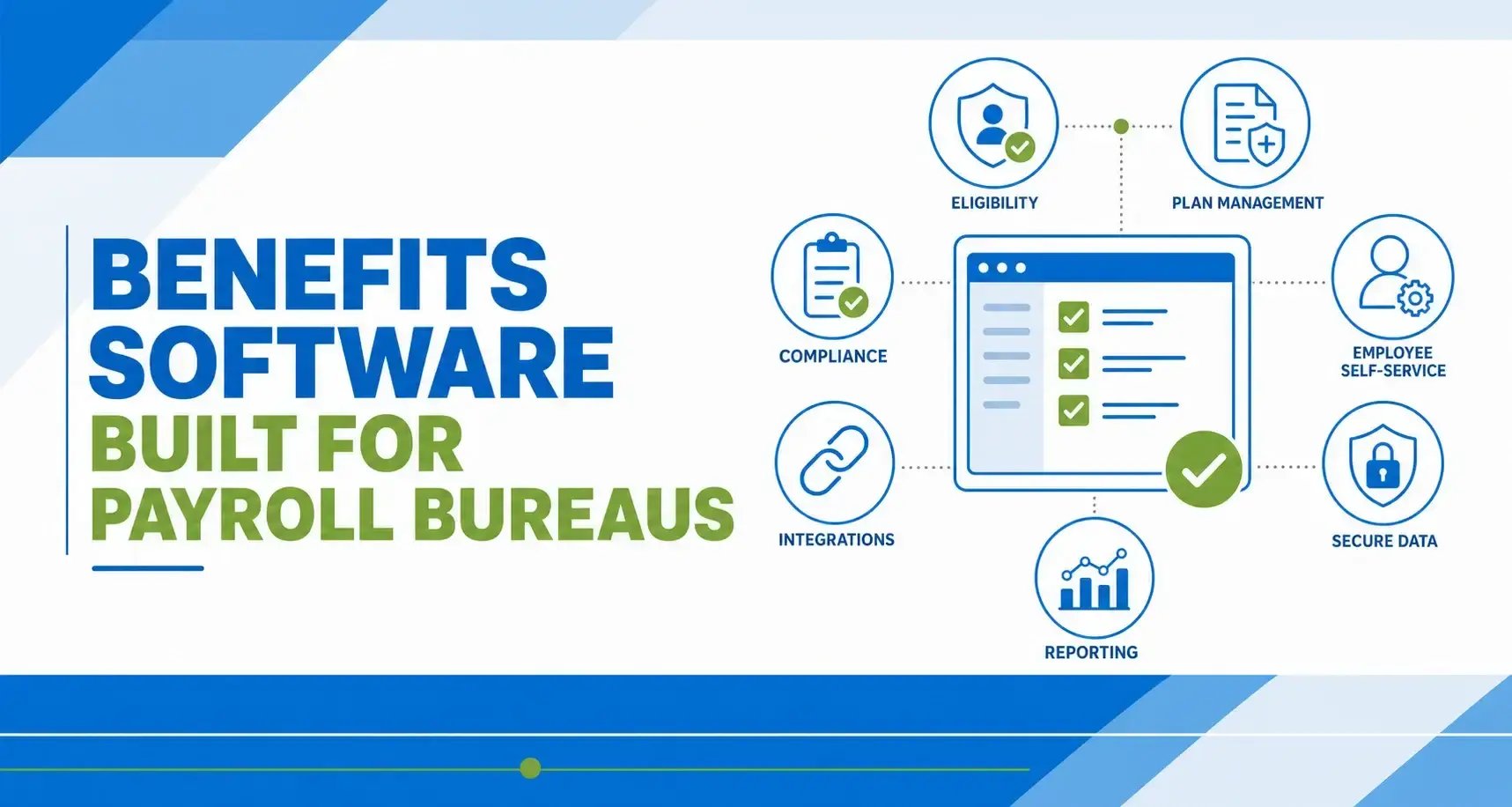
Benefits administration sounds straightforward until you're a payroll bureau managing enrollment, eligibility, and carrier connections for dozens of employer clients at the same time. Each client has different plan structures, different carriers, and different compliance obligations. One missed eligibility update or a billing discrepancy can cascade across multiple employers before anyone catches it.
If you're evaluating benefits administration software for your payroll bureau, the criteria look different than they do for a single employer. You need multi-client visibility, payroll-integrated data flows, and carrier connectivity that scales across your entire book of business.
At Lift HCM, we work with payroll professionals who manage benefits across multiple employer groups, and the patterns below come directly from what separates a good setup from one that creates more work than it saves. This guide breaks down the evaluation criteria that matter most.
Key Takeaways
- Test client separation. Each employer needs appropriately isolated records, configurations, and user access.
- Trace changes through payroll. Confirm how enrollment updates become deductions, including timing, approvals, and exceptions.
- Verify carrier connections. Supported carriers, transmission schedules, rejection handling, and fees can vary.
- Clarify compliance responsibilities. Software can support tracking and reporting, but your service agreement should identify who reviews and completes each task.
- Compare total cost. Include implementation, carrier feeds, employer minimums, support, and data export.
Table of Contents
-
What Should Your Bureau Test Before Choosing Benefits Software?
-
Which Benefits Software Features Matter Most For Payroll Bureaus?
-
Frequently Asked Questions About Benefits Software For Payroll Bureaus
What Should Your Bureau Test Before Choosing Benefits Software?
Ask each shortlisted provider to demonstrate the same workflows using sample employers and employees. A consistent test makes it easier to compare actual capabilities rather than presentation quality.
| Evaluation Area | Proof To Request | Warning Sign |
|---|---|---|
| Client separation | Show that an employer user cannot access another client’s records or reports. | Separation depends on staff remembering to apply filters. |
| Payroll integration | Trace an approved enrollment change into a deduction and payroll preview. | The process depends on an unexplained manual import. |
| Carrier connectivity | Show a rejected record, its correction, and confirmation of processing. | No clear owner for transmission errors. |
| Eligibility | Configure different eligibility rules for two sample employers. | Client-specific rules require recurring spreadsheet work. |
| Reporting | Produce employer-level and bureau-wide exception reports. | Routine oversight requires repeated exports and manual consolidation. |
| Implementation and cost | Provide a written scope, responsibility matrix, timeline, and itemized fees. | Important tasks or charges remain undefined. |
Which Benefits Software Features Matter Most For Payroll Bureaus?
1. Can You Manage Multiple Clients Without Exposing Their Data?
Look for bureau-level oversight with employer-specific records, plan settings, eligibility rules, and permissions. Multiple employer identification numbers (EINs) under one login should not mean unrestricted access across accounts.
Ask the provider to demonstrate client isolation and explain its security controls. Review how access restrictions apply to searches, downloads, reports, and connected systems, not just the main dashboard. Audit logs should identify who changed a record, when it changed, and which employer it belongs to.
Demo test: Sign in as a sample employer administrator and attempt to access another employer’s employee records and reports.
2. How Do Benefits Changes Reach Payroll?
The important question is whether approved changes reach the correct payroll accurately and on time. A shared database, real-time integration, or scheduled connection may support that goal, but each requires a clear explanation of timing and controls.
Confirm how the system handles effective dates, payroll cutoffs, retroactive adjustments, missed deductions, and employee terminations. Ask which system owns each field and what happens when data conflicts. Automation can reduce duplicate entry, but your team still needs a reconciliation process.
Demo test: Process a mid-cycle coverage change and inspect the resulting deduction before payroll approval.
3. Does Carrier Connectivity Include Error Resolution?
Electronic data interchange (EDI) connections can transmit enrollment information to insurance carriers without repeated manual file preparation. However, sending a file is not the same as confirming that coverage was processed correctly.
Verify support for each client’s carrier, plan, and employer group. Request transmission schedules, setup requirements, testing steps, and rejection procedures. Identify who monitors acknowledgments, corrects errors, and follows up when records remain unresolved.
Demo test: Review a sample rejected enrollment record from detection through correction and carrier confirmation.
4. Can You Configure Eligibility For Each Employer?
Eligibility settings should reflect each employer’s applicable plan terms and legal requirements, rather than forcing every client into one global configuration.
Ask about hire dates, employee classes, hours of service, waiting periods, rehires, and changes in employment status. Confirm who approves rule changes and how the system documents their effective dates. Do not assume a configurable rule is automatically a compliant rule.
Demo test: Configure two employers with different eligibility rules and check the coverage dates produced for sample employees.
5. Which ACA Tracking And Reporting Tasks Are Supported?
Evaluate Affordable Care Act (ACA) tools according to each employer’s obligations. Avoid treating every client as if it has identical tracking or reporting requirements.
The IRS describes both monthly and look-back methods for determining full-time employee status for employer shared responsibility purposes. Under the look-back method, measurement and stability periods play distinct roles. Review the IRS guidance on identifying full-time employees when defining requirements.
Where applicable, ask how the platform supports hours-of-service tracking, coverage records, affordability information, and Forms 1094-C and 1095-C workflows. Clarify whether preparation, filing, furnishing, and corrections are included or handled separately.
Demo test: Trace a sample employee’s hours and coverage history into the reporting workflow, and identify the required review steps.
6. Can Employees Complete Enrollment And Get Help?
Employee self-service should make enrollment understandable, not simply move data entry away from your staff. Employees need clear plan information, dependent-entry instructions, coverage dates, and confirmation of their selections.
Test the mobile experience and review what happens when an employee submits incomplete information or needs assistance. Confirm how life event changes are documented and routed for approval. Clear support paths remain important even when enrollment is self-service.
Demo test: Complete enrollment on a phone, add a dependent, and locate the confirmation and help options.
7. Can You See Exceptions Across Your Book Of Business?
Your team needs employer-specific reporting and a bureau-wide view of work requiring attention. Enrollment totals are useful, but unresolved exceptions often deserve attention first.
Ask for reports on pending enrollments, deduction discrepancies, rejected carrier records, and incomplete tasks. Check whether authorized staff can move from a portfolio summary to the affected employer and employee without rebuilding the report.
Demo test: Identify unresolved carrier errors across sample clients, then open the underlying records.
8. What Happens During Terminations, Rehires, And Life Events?
Lifecycle automation should create the right tasks and preserve an understandable history. It should not silently apply one employer’s rules to another employer.
Test terminations, rehires, leave-related changes, and qualifying life events. If the same person works for separate employer clients, confirm that employment records, coverage decisions, and access remain appropriately separated. Do not assume enrollment should transfer between employers.
Where continuation coverage applies, clarify who identifies events, sends notices, and coordinates with the administrator. The U.S. Department of Labor’s COBRA resources explain the federal continuation coverage framework; confirm applicable requirements for each employer and plan.
Demo test: Follow a termination through coverage-end review, deduction updates, and any required administrator handoff.
9. Can Permissions Match Each User’s Responsibilities?
Bureau staff, employer HR contacts, and broker partners may need different levels of access. Permissions should match their responsibilities and be scoped to the appropriate clients.
Check viewing, editing, approving, downloading, and reporting permissions separately. Ask how access is granted, reviewed, and removed when someone changes roles or leaves.
Demo test: Compare the same workflow as a bureau administrator, employer HR user, and read-only partner.
10. Who Owns Implementation And Ongoing Support?
A successful implementation needs documented responsibilities, not just a launch date. Define who handles data cleanup, plan configuration, carrier testing, payroll validation, training, and final approval.
Ask how support requests are prioritized, when escalation is available, and who coordinates issues involving payroll, benefits, and carriers. A named contact can improve continuity, but response and escalation commitments should be documented.
Demo test: Walk through the response to a rejected enrollment file immediately before a coverage effective date.
What Costs Should You Compare Beyond The Subscription?
Compare written quotes using the same employer count, employee population, carriers, and service scope. Otherwise, a lower subscription price may hide work or charges included elsewhere.
- Initial implementation and data migration.
- Carrier-feed setup, testing, maintenance, and changes.
- Per-employer minimums and per-employee charges.
- ACA reporting, filing, and correction services.
- COBRA administration or third-party connections.
- Training, additional users, and support tiers.
- Adding employers or changing plans after launch.
- Contract termination, historical access, and data export.
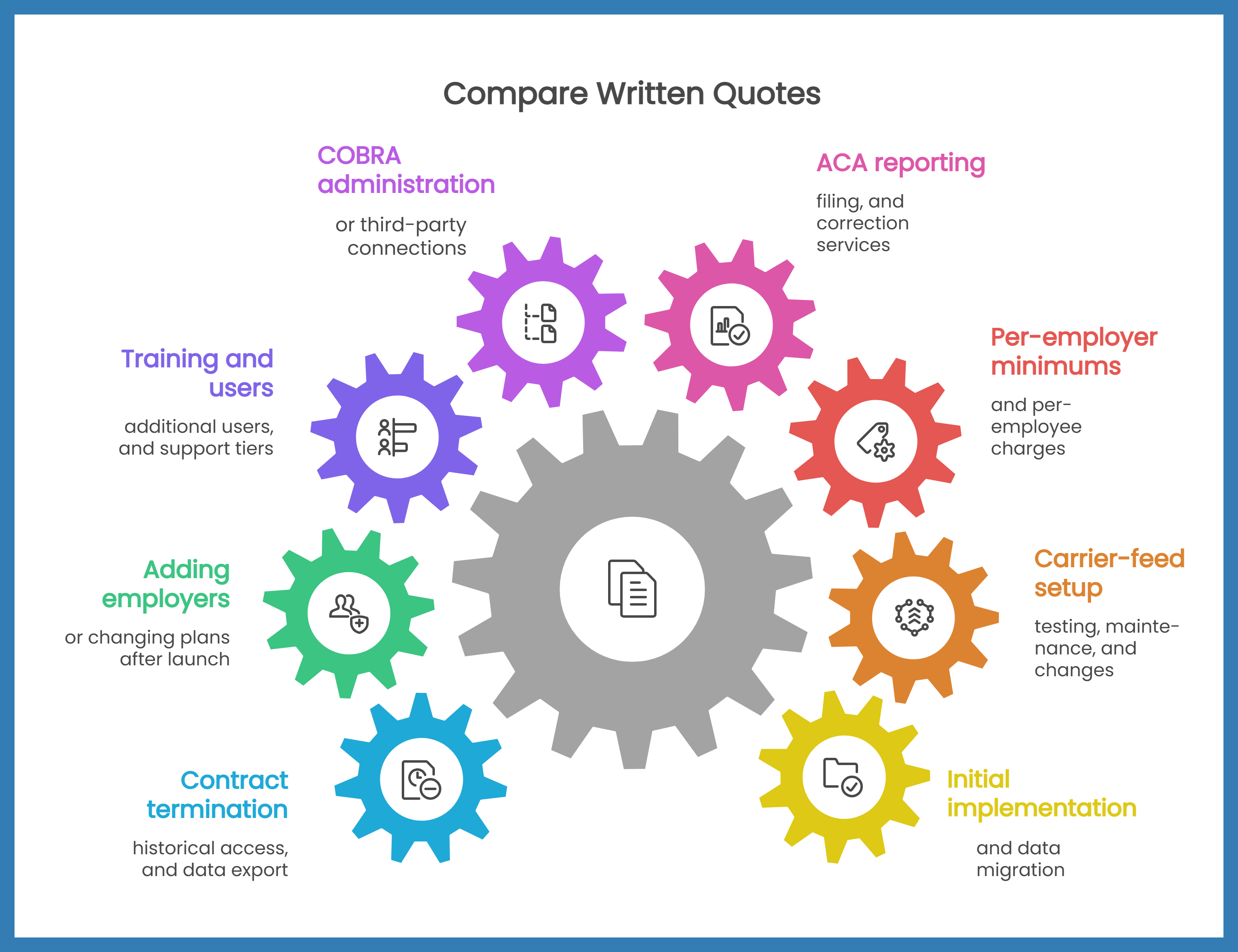
For every line item, identify what is included, what triggers an additional charge, and who performs the work. Your comparison should account for the recurring manual effort your bureau will retain.
Frequently Asked Questions About Benefits Software For Payroll Bureaus
How Is Bureau Benefits Software Different From Single-Employer Software?
A bureau needs to oversee separate employer clients while preserving client-specific data, rules, permissions, and reporting. Software designed for one employer may not provide that operating model, even when it supports multiple locations or divisions.
Does Payroll Integration Remove The Need For Reconciliation?
No. Integration can reduce duplicate entry, but teams still need to review effective dates, deduction changes, exceptions, and carrier records. Ask the provider to demonstrate the reconciliation controls alongside the connection itself.
Does An EDI Connection Guarantee That Coverage Is Active?
No. A transmitted record may be rejected or require correction. Evaluate carrier acknowledgments, exception monitoring, and the process for confirming that enrollment was processed.
What Should You Ask During A Software Demonstration?
Ask the provider to process an enrollment change through payroll, resolve a carrier rejection, demonstrate employer-level access restrictions, and produce a bureau-wide exception report. Use the same scenarios for every shortlisted provider.
Can Software Guarantee Benefits Compliance?
No. Software can support tracking, documentation, and reporting, but results depend on accurate data, appropriate configuration, timely reviews, and clearly assigned responsibilities. Confirm applicable requirements with qualified benefits or legal advisers.
Choose Benefits Software You Can Verify
The strongest choice is the system that demonstrates accurate data flows, appropriate client separation, visible exceptions, and clear accountability. A long feature list is not enough if your team still has to discover problems manually.
Before signing, ask shortlisted providers to run your test scenarios and document the remaining manual tasks, fees, and responsibilities. That gives your bureau a more useful comparison than a polished enrollment demonstration alone.
Lift HCM brings payroll, HR, and benefits capabilities together with dedicated support. Discuss your employer groups, carrier requirements, and payroll workflows with our team to assess the configuration and service scope your operation needs.
This article provides general information, not legal or benefits advice. Requirements vary by employer, plan, and jurisdiction. Confirm current obligations with the appropriate agencies and qualified advisers.






.jpg?width=3000&height=2000&name=image%20of%20people%20pushing%20clock(1).jpg)


.jpg?width=1344&height=768&name=a%20software%20interface%20showcasing%20payroll%20management%20tools(1).jpg)
.jpeg?width=1024&height=1024&name=An%20image%20of%20a%20cloudbased%20payroll%20system%20with%20realtime%20accessibility%2c%20enhanced%20security%2c%20seamless%20integrations%2c%20scalability%2c%20and%20costeffectiveness%20bene-2(1).jpeg)

.jpeg?width=1344&height=768&name=icons%20of%20benefits%20administration%20software%20for%202025(1).jpeg)
.png?width=2000&height=1376&name=payroll%20software%20image(1).png)




-1.jpg?width=1000&height=550&name=Businessman%20hand%20typing%20with%20cloud%20technology%20system%20and%20office%20symbol%20concept%20(1)-1.jpg)